How to Add Private Offices on Croissant
Bring in extra revenue from your private offices. Add one to Croissant in a couple of minutes, or bring across the offices you already manage in another tool. Your calendar stays up to date on its own.


Private Offices on Croissant
A private office is a dedicated room a company can book for a stretch of time. Adding an office takes a couple of minutes, and if you already use another tool to run your space, your offices can come across automatically, with your calendar staying up to date.
How to Add a Private Office
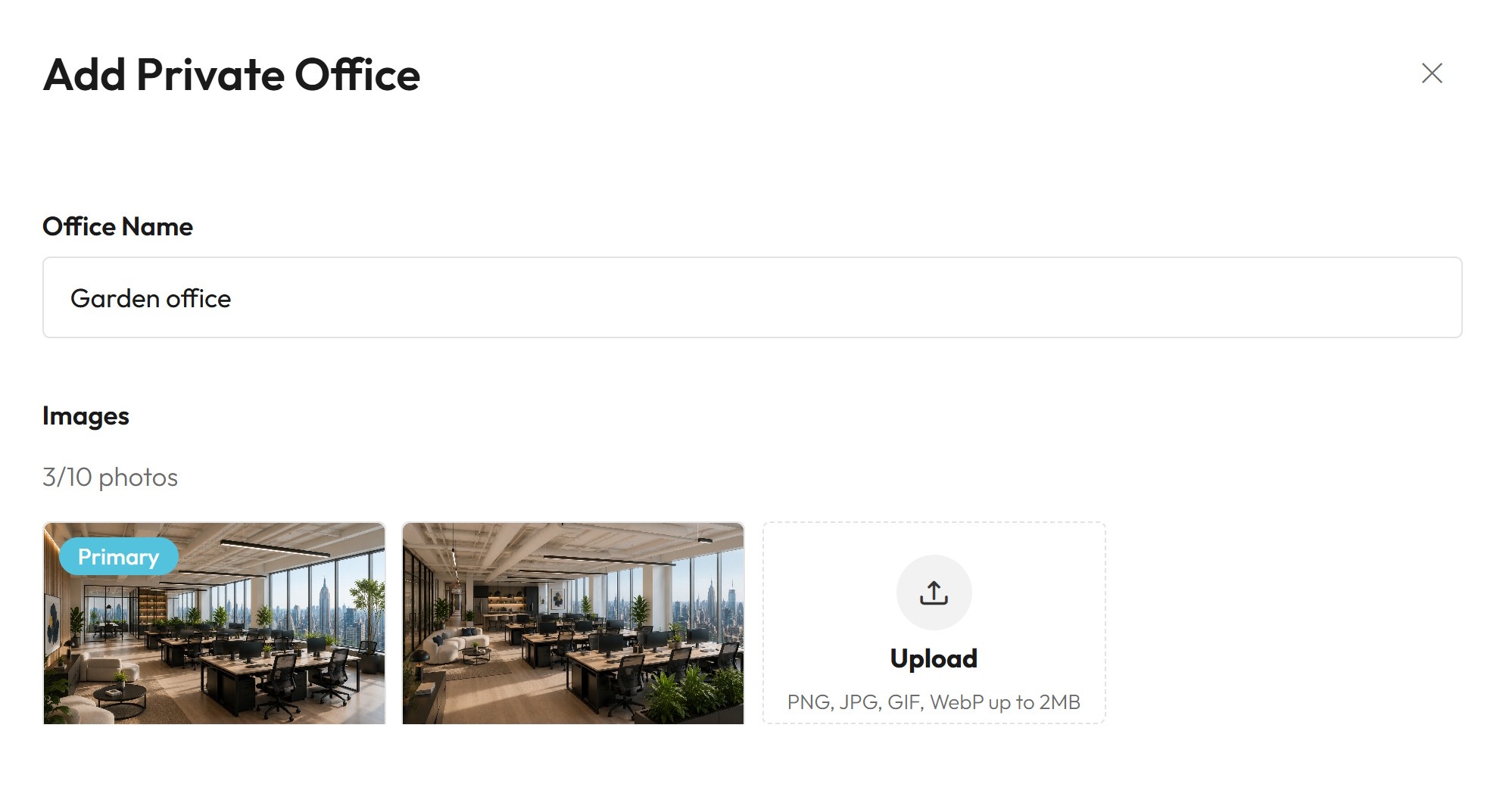
Every private office needs a name, a few photos, a daily rate, and a capacity, how many people it fits. Setting how long companies can book it for is optional.
There are two ways to add one, import the offices you already manage in another tool, or create one manually.
Import offices from your system
Connect your existing booking tool to import your offices automatically. They stay in sync, so you're never double-booked.
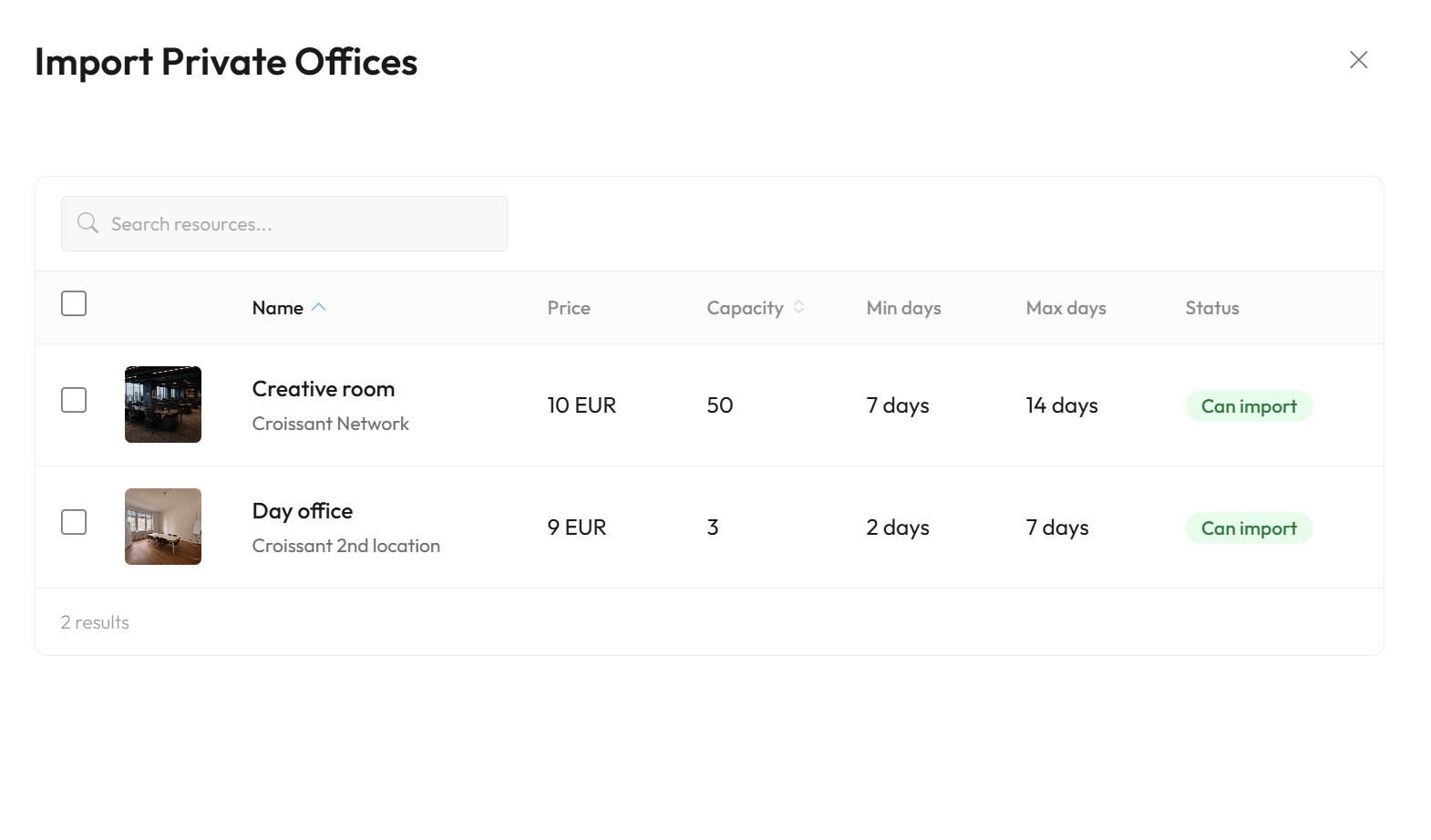
- Log into the Croissant partner portal
- Navigate to Private Offices
- Click Add Private Office
- Select Import from platform
- Choose the offices you want to import
- Review the imported details and click Import
Availability Syncing
Once an office is connected to another tool, availability flows both ways. Book it on Croissant and it's blocked in your other tool; block it there and it shows as unavailable on Croissant. The same room is never offered in two places at once.
Croissant syncs with:
Manage Bookings
Everything to do with your bookings lives in the Croissant partner portal. From there you can:
- See every booking: view who's booked which office and when, all in one place
- Get email notifications: we email you as soon as a company books, so nothing slips by
- Cancel a booking: call off a booking yourself if you ever need to
- Track your payouts: review your full payout history any time
You're paid out at the end of each month for that month's usage, no invoicing on your end.
Cancellations
Croissant applies one standard cancellation policy across every private office, so there are no rules for you to set or manage yourself.
How much notice a company needs to give depends on the length of their booking. A short stay of a few days has a shorter cancellation window, while a longer booking of weeks or months asks for more notice. This keeps things fair on both sides, companies aren't locked in the moment they book, and you get reasonable warning before a longer booking falls through.
Whatever happens, there's nothing for you to do. When a booking is cancelled, the office opens back up on its own, on Croissant and in your connected tool, ready for the next booking.
Become a Croissant partner
Put your private offices in front of companies looking for space and earn from rooms you already have. Our partnerships team will help you list your first office and get set up.
- ✓ List offices yourself or import the ones you already manage, in minutes
- ✓ Get notified of every booking and paid out at the end of each month
- ✓ Two-way calendar sync so you are never double-booked