How to Integrate Akiles Smart Access Control with Croissant
A step-by-step guide to connecting Akiles smart access control with the Croissant platform. Link your Akiles account, add your doors, and let members unlock your space straight from the Croissant app.


Connect Akiles to Croissant in Minutes
Akiles is a smart access control platform that manages your doors, gates, and turnstiles from the cloud. Once connected to Croissant, members with active bookings can unlock your space directly from the Croissant app, no key cards, fobs, or front-desk hand-offs required.
You sign in with your Akiles account, authorize Croissant, and toggle on your doors. Here's how.
Step 1: Connect Your Akiles Account
Start by linking your Akiles account from the Croissant Portal.
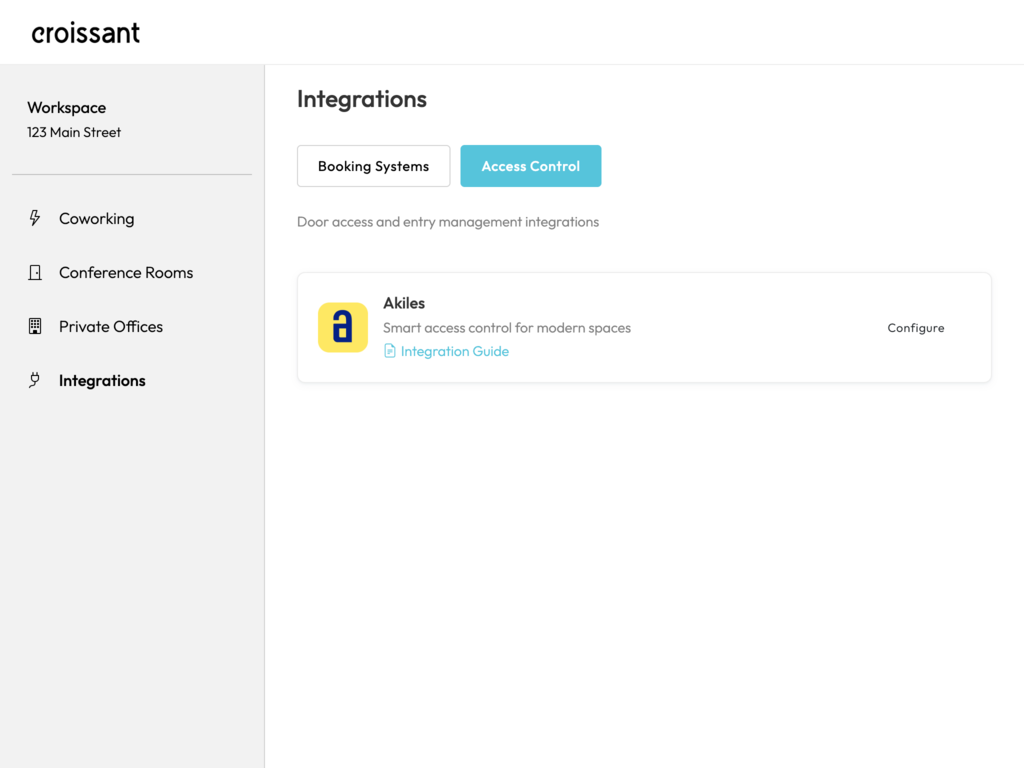
How to Connect
- Sign into the Croissant Portal
- Go to Integrations > Access Control
- Choose Akiles and hit Configure
- Click Connect with Akiles and sign in with your Akiles account
You'll be redirected to Akiles to authorize, then brought straight back. The connection is created automatically. Your Akiles password is never shared with Croissant.
Step 2: Add Your Devices
Once connected, Croissant discovers every gadget on your Akiles organization (doors, gates, turnstiles), grouped by site. Toggle on the ones you want members to unlock.
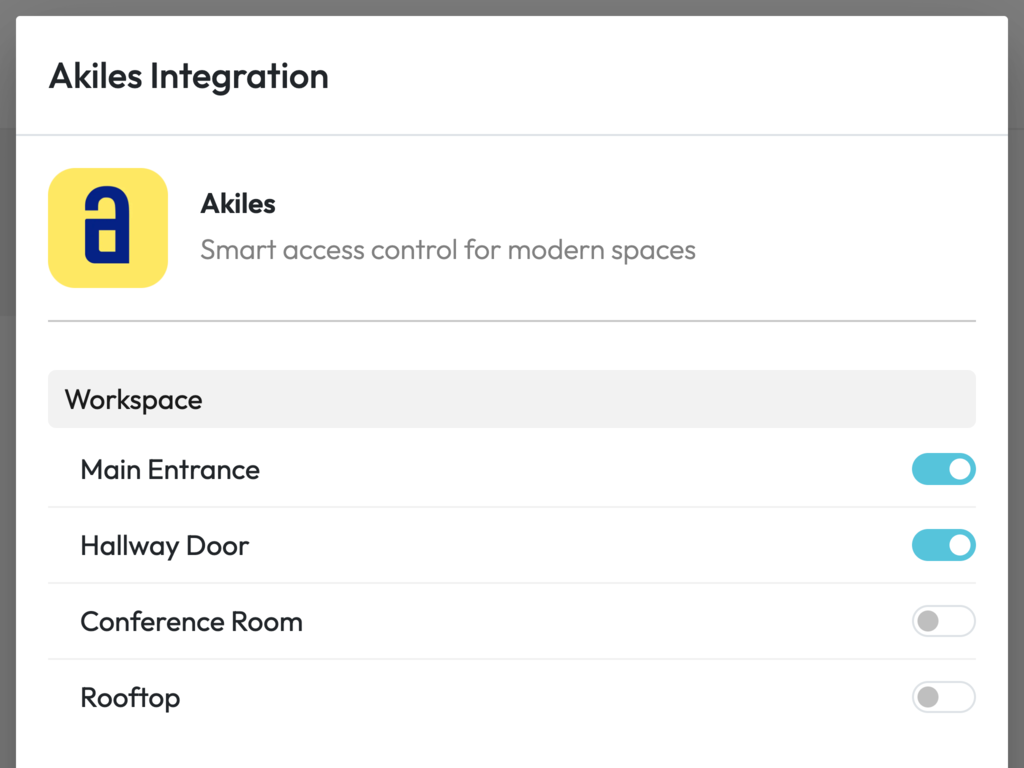
- Head to Integrations > Access Control > Akiles
- Open your connection to see the discovered gadgets, grouped by site
- Toggle on each door you want to connect to Croissant
Step 3: Verify Your Setup
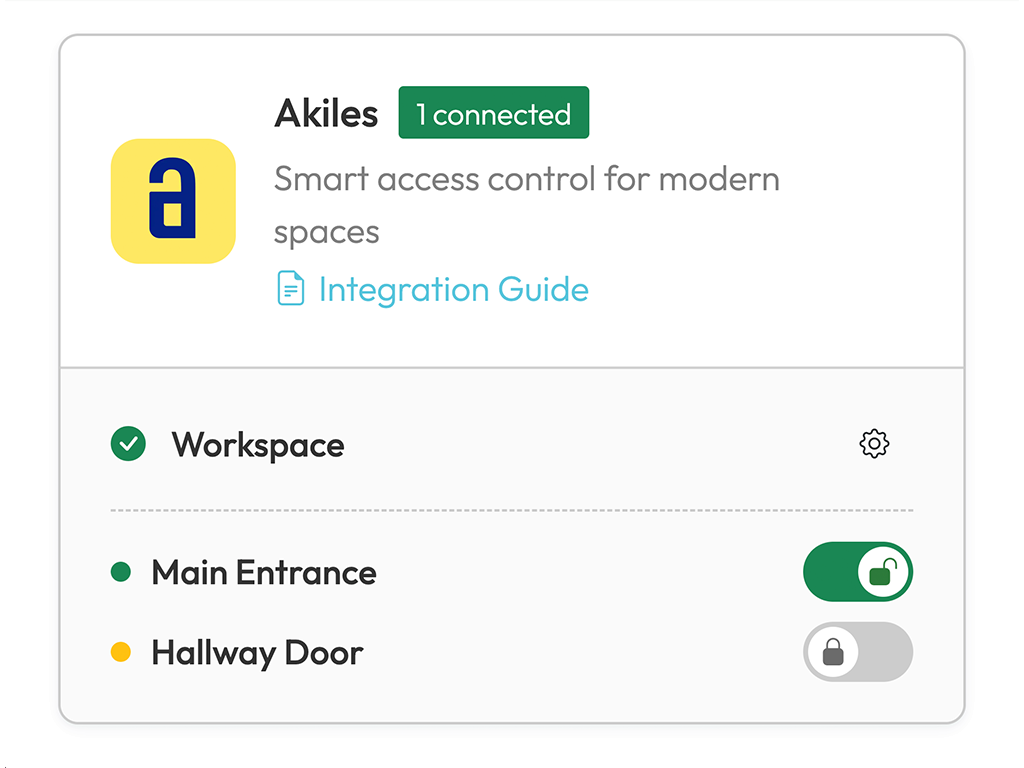
Once your doors are added, test them right from the list, flip a door's unlock toggle and confirm it opens. If something doesn't look right, reconnect with Akiles or contact our team.
FAQ
Frequently Asked Questions
Connecting takes about two minutes: you sign in with your Akiles account, authorize Croissant, and toggle on the doors you want to connect. The integration is live as soon as your account is connected. If you get stuck, email partners@getcroissant.com and we'll help you get set up.
Croissant requests permission to operate the gadgets on your Akiles organization, that's what lets members open your doors from the Croissant app. Authorization happens through Akiles directly, so your Akiles password is never shared with Croissant.
In Akiles, a gadget is anything a device can control, a door, a gate, a turnstile, or a lift. Gadgets live on your physical Akiles devices and are grouped by site. Each door you toggle on in Croissant corresponds to one gadget on your organization.
First make sure the Akiles account you connected still has access to your organization's gadgets. If the connection has expired, reconnect with Akiles from the configuration. Still stuck? Drop us a line at partners@getcroissant.com and we'll dig in.
Yes, open your Akiles connection in the Access Control section of the Croissant Portal and toggle any door off (or on) whenever you need. Any changes apply immediately.
The connection uses OAuth, the industry standard for secure account authorization, and Croissant never sees your Akiles password. Only members with a confirmed, active booking at your space can unlock doors, and autonomous spaces may require additional identity verification.
Let Croissant automate your space with Akiles
Get started with Akiles smart access control integration on Croissant. Our partnerships team is here to help you every step of the way.
- ✓ Seamless smart access for your coworking members
- ✓ Easy configuration through the Croissant partner portal
- ✓ Dedicated support from our partnerships team